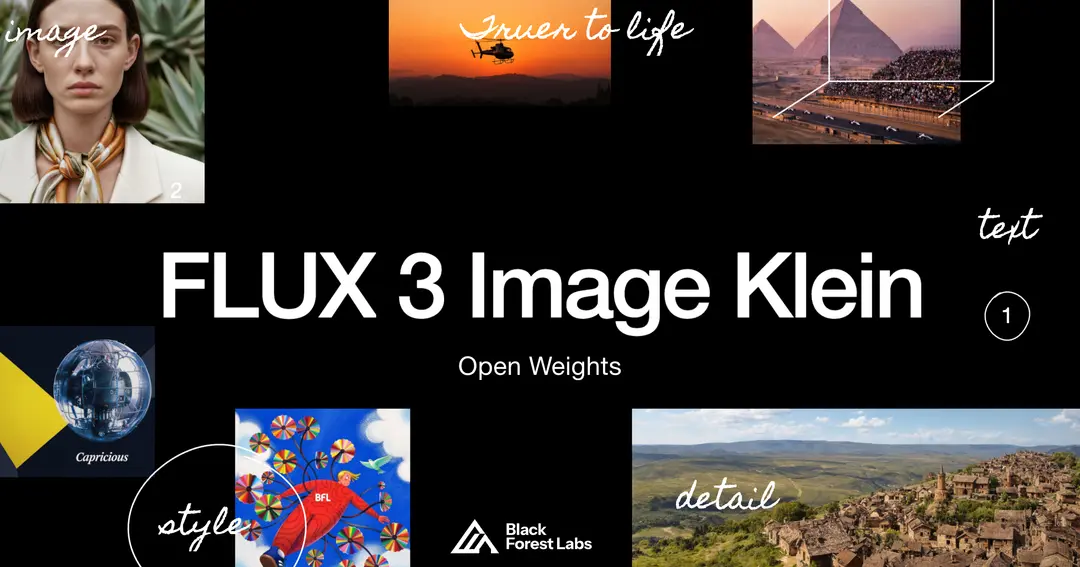
Black Forest Labs (BFL), the developer of the FLUX image models, has released a downloadable image model whose generator is smaller than FLUX.2 Klein 9B’s. FLUX 3 Image Klein, which arrived on October 15, uses a 5.6 billion parameter generator. That is 38% fewer parameters than FLUX.2 Klein 9B. Parameters are the values a model learns in training, and they are a rough guide to its size. BFL says the new model still scores higher in its own tests.
Klein generates images from text, edits existing pictures and combines up to 10 reference images. BFL advertises native output of up to 4K. The model is available now through BFL’s API, a paid service developers call from their own software, and in BFL’s Playground. The weights, the files that make up the model, are on Hugging Face in base and distilled versions.
BFL promotes Klein for local control and customization. Whether that works outside BFL’s servers depends on your hardware, your software and the license.
What FLUX 3 Image Klein does
FLUX 3 Image Klein creates and edits still images from written instructions and reference pictures. BFL’s examples include recoloring a product, combining a subject with a style reference and arranging objects into a set layout. The release is narrower than the FLUX 3 name might suggest. On July 23, BFL announced a broader multimodal FLUX 3 family, including video and audio, in early access. Klein covers images only.
Open weights are not an app. You run the downloaded parameters inside other software, such as ComfyUI, a visual tool for building image workflows, or Diffusers, Hugging Face’s code library for image models. BFL lists support for both, plus several serving frameworks.
For text-to-image generation, BFL’s ComfyUI INT8 setup uses four parts. INT8 is an eight-bit number format.
- Prompt expander (9B parameters): rewrites a short request as a full scene caption, 9.8GB download.
- Text encoder (4B parameters): turns the caption into data the generator can use, 4.9GB.
- Generator (5.6B parameters): builds the image, 5.8GB.
- Autoencoder: converts the result into a viewable picture, 0.3GB.
Short requests need expanding into full scene captions, BFL says, meaning detailed descriptions of everything in the frame. Its expander is a vision-language model, meaning it reads both text and images. BFL’s BF16 version, a 16-bit format, is 18.8GB. Another language model can expand prompts, or you can write a full scene caption yourself.
Tools handle that step differently, which is one reason the same prompt can give different results. BFL’s reference code expands prompts by default, while Diffusers leaves it to you. In ComfyUI, the distilled text-to-image template switches expansion on and the base template leaves it off. Editing templates need captions you expand separately.
Which Klein version should you use?
Most people should start with the distilled version for everyday generation and editing. It finishes an image in 16 steps, each one a pass that refines the picture. It also skips classifier-free guidance, an extra calculation that pushes images closer to the prompt. The distilled version is what powers BFL’s API.
Base Klein takes 50 steps with a guidance setting of 3.5. BFL aims it at fine-tuning, meaning further training on your own images, and at research. Both versions sit on Hugging Face, where the distilled model card asks you to accept BFL’s conditions and share contact details before downloading.
Free commercial use depends on company size. The FLUX Kommunity License requires gross annualized revenue below US$5 million for you and your affiliates combined. Exactly $5 million does not qualify, and a subsidiary cannot count only its own revenue.
Eligible users may use generated images commercially in production. That is not blanket permission to fine-tune the model commercially or to distribute it. Users must also filter or review outputs and add any AI disclosures the law requires. BFL’s release says Cinder evaluated the model’s safety. Businesses outside this exception can use the paid API or seek a commercial self-hosting license; self-hosting prices remain unconfirmed.
Rival downloads carry their own terms. Qwen Image 2.1, a 7 billion parameter generator that also takes up to 10 references and adds native transparency, lists a research license on its model card.
What you need to run it locally
Graphics card memory, or VRAM, is the main limit. Klein comes in several number formats, including BF16, FP8, NVFP4 and INT8, and formats that store numbers less precisely need less memory. Our explainer on how quantization changes memory use walks through the idea.
Published figures mostly come from server hardware, with BFL measuring on an NVIDIA B200 and Hugging Face on an H100. At 1024 by 1024 pixels with the expander off, BFL’s reference code peaked between 25GB and 31GB, depending on format and version. The expander added about 28GB in BFL’s 80GB-GPU setup, though running each stage separately avoids holding everything in memory together. Hugging Face’s Diffusers memory measurements were 20.72GiB in BF16 and 16.27GiB in FP8. GiB is a slightly larger memory unit than GB. Hugging Face recorded 15.3GiB for NVFP4 on a different GPU. These are different setups and methods, not minimum requirements.
BFL says the INT8 build runs on NVIDIA GeForce RTX cards with as little as 8GB of VRAM, through ComfyUI or Diffusers. Its four listed component files total about 20.8GB. That is download size, not the memory a card needs at once. This table gives starting points for common consumer cards.
| Your GPU | What to try | Caveat |
|---|---|---|
| 8GB | INT8 files in ComfyUI or Diffusers, which BFL says run on GeForce RTX cards with as little as 8GB | Not confirmed for every resolution or for jobs with many references |
| 12GB | The same INT8 ComfyUI files | Speed and full-pipeline memory use on 12GB cards remain unconfirmed. |
| 16GB | INT8 in ComfyUI as a starting point | Hugging Face’s 15.3GiB NVFP4 result came from another GPU and may not fit yours |
Your card’s generation also affects speed. In Diffusers, fast FP8 needs an NVIDIA Ada-generation GPU or newer, and fast NVFP4 needs Blackwell. Older cards unpack the weights to higher precision and lose the speed gain. CPU offloading, which moves parts of the model into system memory, is documented but has not been benchmarked. BFL says NVIDIA supported optimized builds of the model.
The heavier route is BFL’s own reference code. Its installation recipe uses Python 3.12 and packages built for CUDA 13, has no INT8 option and downloads 52GB with the expander. Minimum system RAM is unconfirmed.
What 1,000 Klein images cost on BFL’s API
Generating 1,000 images at 1K resolution through BFL’s API costs about $9. The published API prices list $0.009 per image at that size. Here, 1K describes the image resolution, not a number of images.
This table shows the price per image at each output size and the total for 1,000 images.
| Output size | Per image | 1,000 images |
|---|---|---|
| 768 × 768 | $0.008 | $8 |
| 1K | $0.009 | $9 |
| 1.5K | $0.011 | $11 |
| 2K | $0.014 | $14 |
| 4K | $0.036 | $36 |
Billing runs on credits bought in advance. An example in BFL’s billing documentation shows a 1,000-credit minimum purchase, equal to $10. Current checkout minimum, taxes and billing for unsuccessful requests remain unconfirmed.
Self-hosting costs depend on hardware and workflow. Multiply the GPU hours your complete workflow uses, including prompt expansion, by your hourly GPU cost. Then add storage, licensing, operating time and any outside expansion API charge. On hardware you own, count electricity and the card’s loss of value over time.
Why local edits can change more than you ask
Local edits can spread beyond the area you mark because, in the downloaded model, boxes guide composition rather than lock pixels. A box tells Klein roughly where a change belongs. It is not a hard mask, a boundary that keeps everything outside it untouched, so an edit may alter nearby content.
BFL says the API version of Klein includes prompt upsampling and pixel restoration, which preserves unedited regions of an image exactly. The downloaded checkpoint does not include those steps. Along with different expansion settings, this helps explain why one edit can look cleaner on the API than on your own machine.
Design and marketing teams weighing a move off the API face one firm limit. When a local Klein edit touches a product photo, nothing in the downloaded model guarantees that the label, logo or background outside your box stays exactly as it was.
