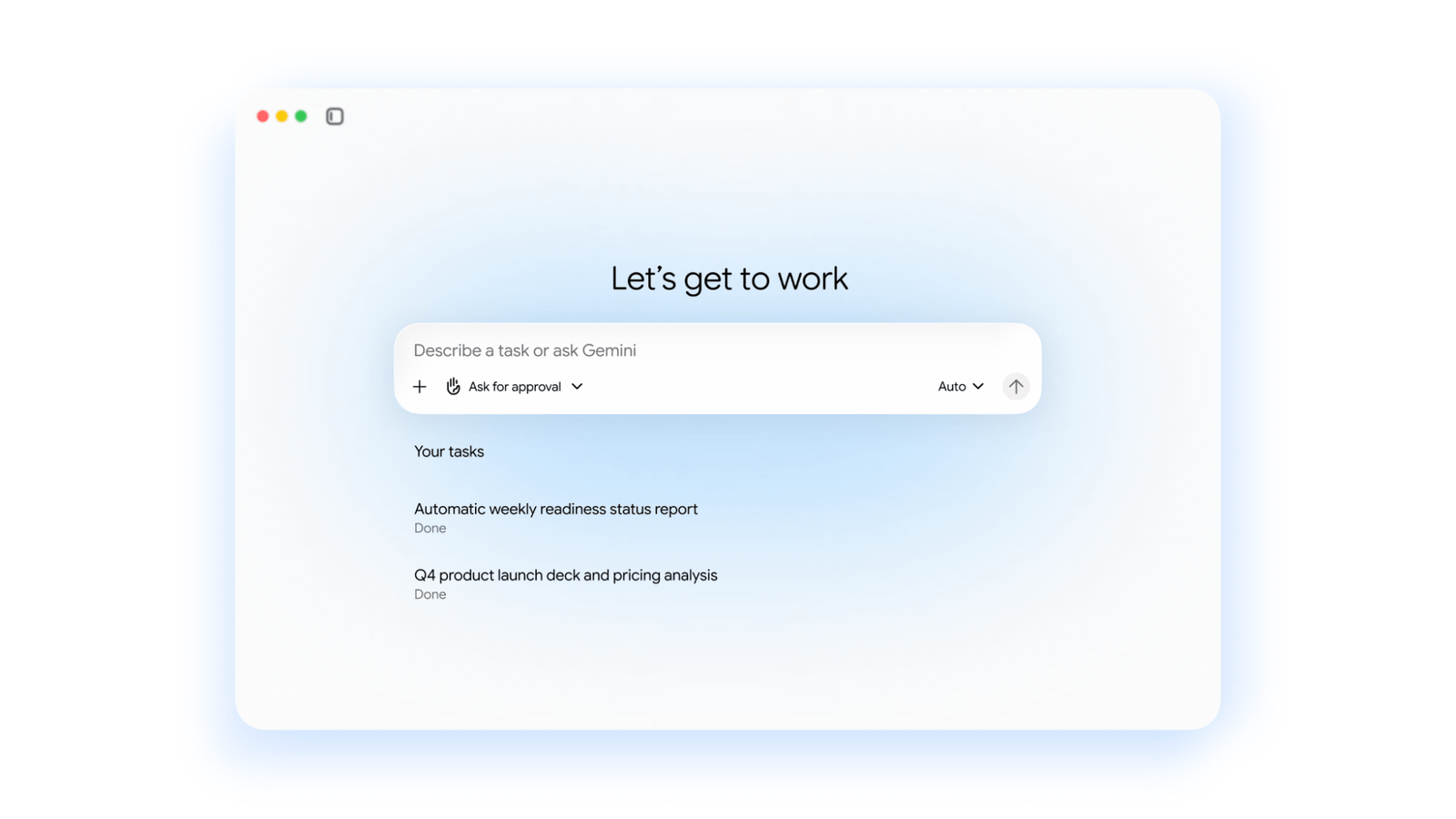
Google’s new Gemini agent is an AI assistant for work that keeps going after you stop watching. Google announced it on October 8, 2026, in a post attributed to Thomas Kurian, CEO of Google Cloud. According to Google, the agent keeps running in the cloud for hours or days after a user closes the laptop. It also splits a job into parts and hands them to subagents, which are smaller helper agents that each take on one share of the work.
The launch puts Google in a growing contest to build AI agents for long, multi-step work. Microsoft announced Copilot Autopilot, a cloud agent with its own identity and memory, on September 25, 2026, and Meta’s Muse Wonder models target the same kind of work. Cloudflare is building the other side of the same idea, with shared workspaces where AI agents can keep running.
Businesses get the agent through Gemini Enterprise, Google’s existing AI platform for companies. They can start a 30-day free trial or contact Google Cloud sales. Google has not published a separate price for the agent, and VentureBeat reported that it comes at no additional charge.
Who can use it now and what it costs
Google offers 30-day free trials of the Business edition and of the Standard or Plus editions. Business is the edition for smaller teams. It has a more limited set of connectors, which are the links that let Gemini reach data in other apps such as Outlook, SharePoint or Slack. Controls that Google documents for Standard and Plus should not be assumed to exist in Business.
Parts of the new agent are still in early access. Google’s Gemini Enterprise product page marks the new agent features this way but no longer says which ones. Under Google’s launch-stage definitions, early access features are limited to a closed group of invited testers, may require signing an agreement, can change, and are not guaranteed to be released.
A Google Workspace subscription is a separate matter. Gemini features in Workspace plans, such as Gemini in Gmail on the Starter tier, do not mean a subscriber gets the long-running agent.
Model choice is widening. According to Google’s Gemini Enterprise release notes, Claude Opus 5.5 and Claude Sonnet 5.5 became generally available in the Gemini Enterprise app on October 15, 2026, once an administrator turns them on. They are billed pay-as-you-go. Two days earlier, Google made Gemini 4 Argon generally available in the Gemini Enterprise web and mobile apps. It will be switched on by default from October 27.
Existing Gemini Enterprise charges still apply around the agent. Google’s published quotas say storage and indexing above the pooled allowance cost $5 per GiB (gibibyte, a binary unit of storage) per month, prorated and charged automatically. Customers who received Google’s email about overage billing controls launching August 17, 2026, follow separate legacy rules.
Standard and Plus customers on invoiced billing get developer-tool credits of $10 per user per month on Standard and $15 on Plus. Google pools those credits weekly, so each organization gets the monthly credit divided by four, multiplied by its number of seats. Trial subscriptions cannot turn on overages, the automatic charges for use beyond the included allowance.
Spending limits deserve a close look. Google’s announcement describes a “hard limit” on spending. Its existing cost documentation says spend caps can take minutes to stop usage, and spending can go past the cap in that time.
What the agent can read and change in your accounts
Google says the agent follows users’ existing permissions. Gemini Enterprise already controls access in several layers, and each one can widen or narrow what the agent reaches.
An organization policy sets which kinds of connector can be added as data stores, the configured sources Gemini searches. IAM, Google Cloud’s identity and access management system, controls who can query each app and data store. Broad roles granted at the project level override narrower restrictions, so both levels need checking.
OAuth is the standard way a person or administrator lets an app act on an account without handing over a password. Each permission it requests, called a scope, sets what that access covers. Scopes can be wider than the job needs. Under the Outlook connector’s permission requirements, reading Excel worksheet and table contents requires Files.ReadWrite.All, a permission that also allows changes to files.
That connector also has an ingestion mode, which copies and indexes content instead of querying it live. Ingestion mode can use application permissions, which reach many users’ mailboxes rather than only the signed-in user’s.
Action toggles form the last layer. They let administrators switch individual supported actions on or off for each data store. In Workflow Builder, Google’s tool for multi-step workflows, write operations are turned on or off for a whole connector, and the documentation says writes require human review. Each workflow step is called a node. Turning on the full Drive or OneDrive tool for a node widens that step’s search beyond its selected folders, though not past the permissions set in Drive or OneDrive itself. Google also lists a known issue called “Disabled actions failure,” which administrators should read before relying on the toggles.
Live searching sends data out too. Federated search lets Gemini query an outside system directly instead of copying its data. Google’s connector documentation says those queries can carry request data and conversation history to the third-party provider, whose own terms and privacy policy then apply.
For the new agent, Google’s announcement promises verified, or “attested,” agent identities, role permissions and audit trails that attribute each action to the agent. It also promises an Agent Sandbox, which runs the agent’s work in isolation, and an Agent Gateway that enforces network policy. Google says these are on by default for all agents and traffic.
Where your company’s data is processed
Gemini Enterprise handles data in different places depending on the feature, model and connector in use. Two terms matter here. Data residency is where stored data sits when it is not in use. ML processing, short for machine learning processing, is where the model computes its answer.
Google’s location support page documents both for US and EU multi-regions and for a UK in-country endpoint called europe-west2. The UK endpoint is generally available to allowlisted customers, meaning those approved after contacting their account team.
The table below covers the Standard and Plus editions. “Supported” means Google documents both data residency and ML processing in that location. “Global only” means the feature runs on Google’s global endpoint with no regional commitment.
| Feature | US multi-region | EU multi-region | UK in-country |
|---|---|---|---|
| Base Gemini Enterprise (Standard, Plus) | Supported | Supported | Supported (allowlist) |
| Gemini 3.5 Flash | Supported | Supported | Supported |
| Gemini 3.8 Flash | Supported | Supported | Supported |
| Gemini 4 Argon | Supported | Supported | Not supported |
| Web Grounding for Enterprise | Supported | Supported | Not supported |
| Google Search grounding | Global only | Global only | Global only |
| Nano Banana Pro, video generation | Global only | Global only | Global only |
| Drive, Outlook, SharePoint, Slack connector stores | US listed | EU listed | No location listed |
Gemini 3.8 Flash gained its UK row on October 14, 2026, when Google made it generally available in europe-west2 with in-region data residency and ML processing. The Claude models added on October 15 run in global, US and EU locations. In practice, a UK company could keep base Gemini Enterprise processing in the country while an answer grounded in Google Search, or a video request, is handled globally.
Connector pages list only global, US and EU store locations. A store in the US or EU also says nothing about where Microsoft, Slack or Google Workspace keep the same data on their side.
Training and storage are separate promises. Google pledges not to use business data to train its own models or other customers’ models, but that pledge covers training, not storage. Its existing zero-retention guidance says Google Search grounding can keep queries derived from prompts for up to three days.
In the UK, the Information Commissioner’s Office (ICO) opened a call for evidence on agentic AI on October 8, 2026, which closes on November 20 and is not a product approval. In the EU, a data protection impact assessment is required before processing personal data likely to pose a high risk to people’s rights and freedoms, and how the AI Act applies depends on how the agent is deployed.
What Google has not said yet
- Which countries can get the agent. Google’s small-business post on October 8 said wider availability is coming “soon” but gave no date.
- Whether every route unlocks every feature. Google’s product page does not promise that a trial or a sales contact turns on every advertised feature.
- Full pricing. Beyond VentureBeat’s report of no additional charge, Google hasn’t set out which plans include the agent or what usage it meters.
- Which models the agent itself uses. The October 15 Claude release covers the Gemini Enterprise app and does not say which background agent tasks can use those models.
- How memory is kept and deleted. Google advertises four memory types but hasn’t explained retention periods, deletion controls or how individual memory stays apart from team memory.
- How the new controls are enforced. Google hasn’t said whether existing source policies, IAM and action toggles apply to the agent, which editions include its identity, sandbox and gateway features, or how enforcement works when the agent delegates work or acts outside the company.
- Whether spend caps stop instantly. Google hasn’t said whether the agent’s “hard limit” works differently from existing caps, which can take minutes to stop usage.
How to run a safe first test
- Get answers in writing. Ask Google for a feature-specific statement on country eligibility, where prompts, memory and logs are processed, and how usage is metered in your billing currency.
- Start small. Give the agent one bounded task against a single connector.
- Trim permissions. Narrow OAuth scopes, and look for Files.ReadWrite.All and application permissions in ingestion mode.
- Check both IAM levels. Review project-level roles as well as access to the app itself.
- Settle model and grounding choices. Review model settings before October 27, when Gemini 4 Argon switches on by default. Keep Search grounding and video generation off if data must stay in one region.
- Try a write on purpose. Ask the agent to send something outside the company or update a file. A good outcome is an action that is blocked or held for approval and logged against the agent.
- Cap spending below budget. Leave room for the minutes existing caps can take to stop usage.
